 English
 Pусский
 Español
Next: Is the Fengming Sleeve Flexo Worth It for Paper Bags? | FENGMING
Shopping bags have become a primary canvas for brand expression. From retail logos and promotional messages to barcodes and sustainability claims, the printing on a shopping bag directly influences brand perception and consumer experience. For packaging converters, achieving consistent, high-quality print on paper shopping bags requires more than just selecting the right equipment—it demands a thorough and disciplined setup process.
Setting up a petal type flexographic printing machine involves a series of critical steps, from pre-press preparation to machine calibration. When executed correctly, these steps ensure crisp registration, consistent color, and minimal waste. This guide provides a practical, step-by-step framework to help you establish a reliable setup routine for shopping bag production.
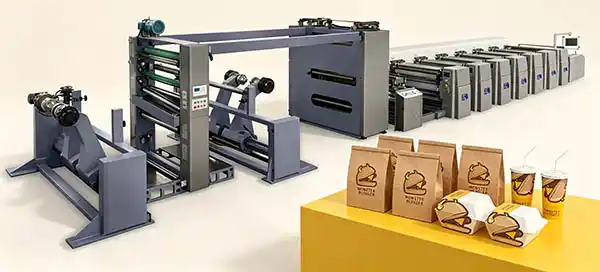
Before diving into the setup procedure, it is helpful to understand what distinguishes a petal type flexographic printing press and why it is well-suited for shopping bag applications.
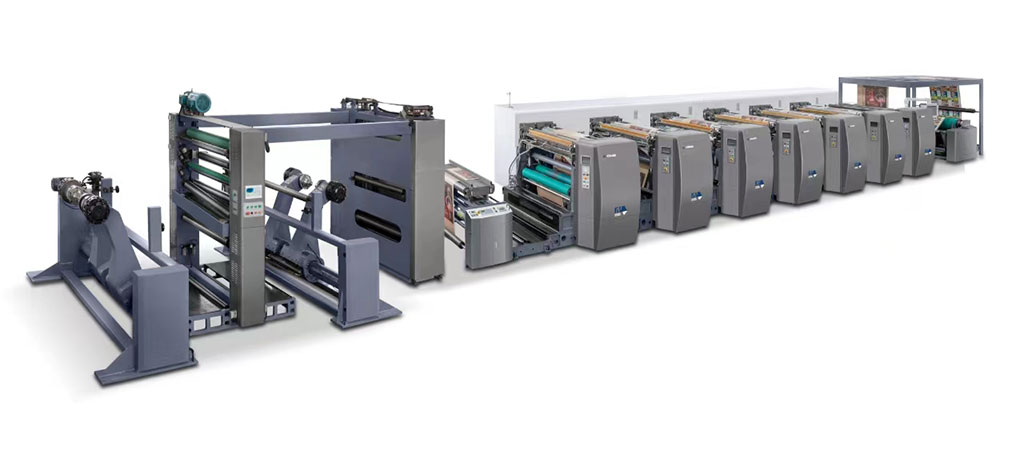
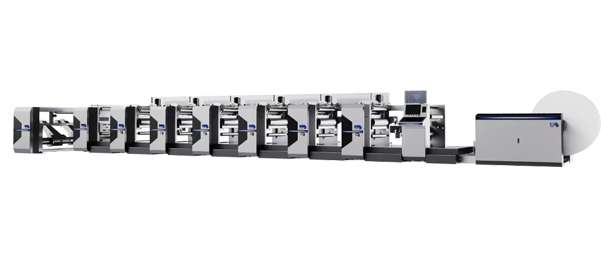
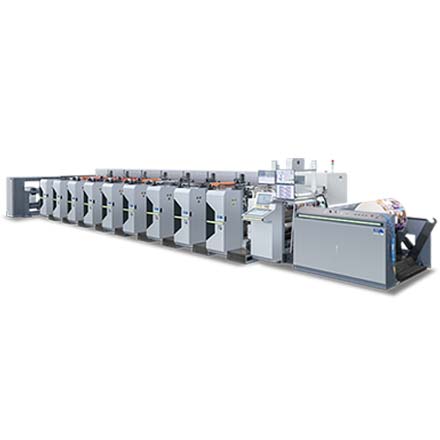
In a petal type flexo press, each printing unit is independently arranged, typically in a horizontal configuration. The name “petal type” refers to the plate mounting structure, where printing plates are mounted on individual cylinders that can be independently adjusted. This design allows for:
Independent color control: Each color station can be calibrated separately, which is essential for multi-color shopping bag designs requiring precise color matching.
Quick changeover: Petal type structures with quick-change mechanisms for anilox rollers and cylinders reduce downtime between jobs.
Broad substrate compatibility: Petal type flexo presses can adapt to various films and papers, handling substrates from lightweight copy paper to heavier paperboard (80–400gsm), making them suitable for the wide range of paper stocks used in shopping bag production.
The press operates on a fundamental principle: the photopolymer plates, which carry the raised image areas, are wrapped around rotating cylinders. Ink is transferred from the ink pan to the anilox roller—which has finely engraved meshes that control ink volume—and then to the plate cylinder. As the paper substrate passes between the plate cylinder and the impression cylinder, the image is transferred to the bag material.
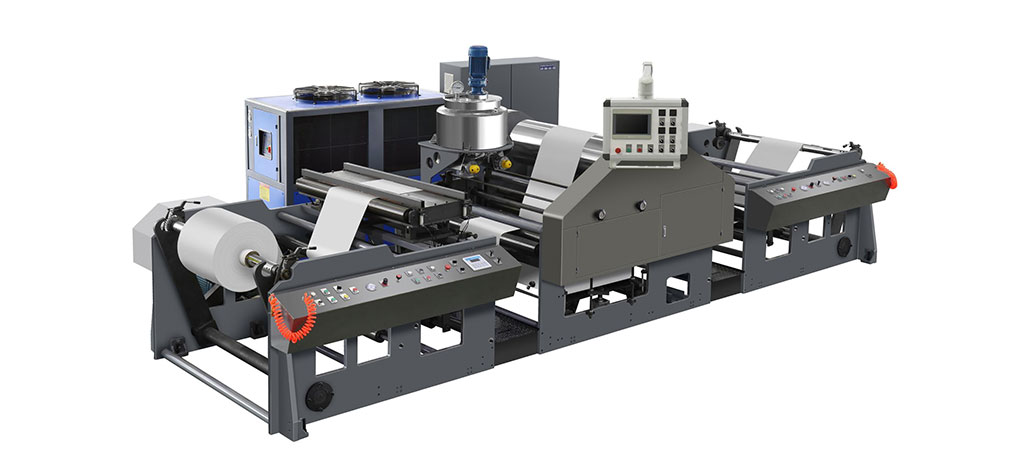
Understanding the machine's core components and their functions is the first step toward effective setup. You can explore the range of petal type flexo printing machine configurations to see how different models accommodate various production requirements.
The setup process begins long before the machine is switched on. Proper preparation prevents costly errors and ensures a smooth production run.
Before any physical setup, thoroughly review the job ticket. This should include:
Design artwork: Verify that the artwork is compatible with flexographic printing, paying attention to minimum line thickness, trapping requirements, and color separations.
Substrate specifications: Confirm the paper type, weight, and dimensions. Shopping bags may use kraft paper, white kraft, recycled paper, or coated paper, each with different surface characteristics that affect ink absorption and print quality.
Color requirements: Identify the number of colors and any special requirements such as spot colors or overprint varnishes.
Order quantity: This will influence decisions about ink preparation volume and press speed.
Flexographic printing uses photopolymer plates with raised image areas. Proper plate preparation is essential:
Ensure plates are correctly exposed and processed according to the manufacturer’s specifications.
Verify that plates are free from defects such as pinholes or incomplete curing.
Check that registration marks are included on the plates to facilitate alignment during setup.
Having all necessary materials ready before starting the setup minimizes downtime:
Printing plates for each color station
Inks (water-based, solvent-based, or UV-curable, depending on the substrate and application)
Solvents and cleaning materials
Substrate rolls or pre-cut shopping bag blanks
Anilox rollers with appropriate screen counts for the required ink coverage and detail
With pre-press preparation complete, the physical setup of the petal type flexo press can begin. The following steps outline the core setup sequence.
Before any adjustments, ensure the machine is on a stable, level surface. An uneven base can introduce variables that affect print quality. Perform a visual inspection:
Check for any signs of wear or damage on cylinders, rollers, and bearings.
Verify that all safety guards and interlocks are functioning correctly.
Ensure the machine is clean and free from residual ink or debris from previous jobs.
Mount the photopolymer plates onto the plate cylinders for each color station:
Follow the manufacturer's instructions for plate mounting.
Ensure plates are positioned accurately on the cylinder, using any alignment marks or registration systems provided.
Secure plates firmly to prevent shifting during operation.
The anilox roller determines the volume of ink transferred to the plate:
Select the appropriate anilox roller based on the required ink coverage and detail level. Higher screen counts deliver thinner, more precise ink films for intricate designs.
Install the anilox roller for each color station.
Fill ink trays with the prepared inks and adjust the ink flow rate based on the substrate and desired print quality.
Pressure calibration is one of the most critical steps in the setup. There are three pressure points to consider:
Ink fountain roller to anilox roller: Controls the amount of ink transferred to the anilox roller.
Anilox roller to plate cylinder: Determines how much ink is transferred from the anilox to the printing plate.
Plate cylinder to impression cylinder: The impression pressure determines how the ink is transferred from the plate to the substrate.
Adjust pressure based on substrate thickness and stiffness.
Insufficient pressure results in incomplete ink transfer.
Excessive pressure can cause ink smudging, plate damage, or substrate distortion.
Fine-tune the distance between the printing and impression cylinders to optimize pressure and transfer efficiency.
For multi-color shopping bag designs, accurate registration—the alignment of each color layer—is essential:
Use the registration marks on the plates and the substrate to align the prints.
Petal type presses with independent printing units allow each color station to be adjusted separately, which simplifies the registration process.
Make incremental adjustments until all colors are perfectly aligned.
The machine speed and substrate tension must be matched to the specific paper being used:
Start at a lower speed and gradually increase to the optimal running speed.
Monitor substrate tension to prevent tearing or wrinkling.
The meter counter can be set to the required print quantity and will automatically stop when the target is reached.
Before commencing the full production run, run test prints to verify all settings:
Check color accuracy and density.
Verify registration precision.
Inspect for any print defects such as smudging, streaks, or incomplete coverage.
Make final adjustments to pressure, speed, or ink flow as needed.
Beyond the basic setup, several factors are particularly relevant when printing shopping bags.
Paper substrates must be clean, flat, and free from contaminants to ensure proper ink adhesion and print quality. Dust or debris on the paper surface can cause print defects. For pre-cut shopping bag blanks, ensure they are properly positioned and fed into the press.
The choice of ink significantly affects print quality and production efficiency:
Water-based inks: Environmentally friendly and commonly used for paper substrates, with good drying performance.
Solvent-based inks: Offer excellent adhesion and durability but require careful handling.
UV-curable inks: Provide fast curing and high durability, suitable for applications requiring special finishes.
After each printing pass, sufficient drying time must be allowed to prevent smudging or smearing between color applications.
Shopping bag printing can be done on roll-fed or sheet-fed presses. For pre-cut bags, feeding options include manual positioning or automatic stream feeders that can hold up to 200 bags, with suction pads picking up each bag and placing it onto a conveyor belt.
If your operation involves diverse order types—from small-batch custom shopping bags to high-volume retail orders—you may benefit from reviewing flexible printing solutions that adapt to various order mixes to understand how different equipment configurations support production flexibility.
Even with careful setup, issues can arise. Here are common problems and their solutions:
| Issue | Possible Cause | Solution |
|---|---|---|
| Uneven ink distribution | Incorrect anilox roller selection, improper pressure, or ink viscosity issues | Adjust anilox roller, recalibrate pressure, or adjust ink viscosity |
| Ink smudging | Excessive pressure, ink flow too high, or insufficient drying | Reduce pressure, adjust ink flow, or increase drying time |
| Print streaks | Debris on plates or improper alignment | Clean plates or adjust registration |
| Poor registration | Incorrect plate mounting or cylinder alignment | Remount plates or recalibrate cylinder positions |
| Substrate distortion | Improper tension or excessive pressure | Adjust tension or reduce impression pressure |
An effective setup routine is the foundation of efficient shopping bag production. The steps outlined above—from pre-press preparation through to test prints—establish a reliable process that minimizes waste, reduces downtime, and ensures consistent print quality.
The key to mastering petal type flexo setup lies in understanding the relationship between three variables: pressure, speed, and ink flow. Each job may require different combinations of these variables depending on the substrate, design complexity, and order quantity. Developing a systematic approach to setup—documenting successful settings for different job types—allows operators to achieve consistent results more quickly over time.
Once your setup process is optimized and production is running smoothly, the next logical step is to evaluate how different machine configurations can further enhance your operational efficiency. You can review equipment solutions designed for specific production volumes to identify the configuration that best aligns with your order mix and capacity requirements.
Sleeve vs. Petal Flexo Printing Technology: Which Approach Aligns with Your Production Strategy?
How to Evaluate Flexographic Printing Machine Automation Level for Your Production Line
Understanding Total Cost of Ownership in Flexo Equipment Selection
Short-Run vs. Long-Run Flexo Printing: Which Machine Configuration Maximizes Your Profit?
This article is part of FENGMING’s technical content library. No direct sales or pricing information is included. All technical discussions aim to help you make informed purchasing decisions.
GET A QUOTE